If you’ve been setting up MCP connections or agentic workflows, this release is for you. You ask an AI tool to check your site’s SEO. It comes back with real findings: a product page that’s telling Google it’s a recipe, a link still pointing to an old test version of your site. Helpful, but useless on its own: you still have to go and fix each one yourself, by hand, in the back end of your website. Now, Yoast SEO enables the same AI tool to make those changes for you.
Yoast SEO Abilities is what makes that possible. It lets your AI tool read what’s wrong with a page’s SEO and update it directly, the same technical settings you’d otherwise have to change by hand. You diagnose and fix in the same place.
AI tools are moving from answering questions to being able to take actions. Abilities gives that shift a front door on your own site, one you control.
What you could do before
Since its release in April, Yoast SEO already registers three abilities with WordPress’s Abilities API: SEO scores, readability scores, and inclusive language scores for your most recently modified posts. Any AI tool could reliably check which posts had a weak SEO score. However, it had no standardized way to read the underlying fields or change them. Someone still had to open wp-admin.
That gap is what this release closes.
Read a post’s full SEO field set
yoast-seo/get-post-seo-data returns the title, meta description, robots flags, schema type, canonical, social previews, and scores.
In addition, you can identify the post by ID, permalink, or title search. As a result, your agent can find the post you mean from a plain-language description in one call, instead of hunting through several.
Fix the technical fields
Core technical settings are now writable from your AI tool: canonical, robots flags, cornerstone, and schema type. These are fields Yoast already manages, so nothing new sits between your content and your site.
Roll back what you change
Any change made through the WordPress Abilities API can be rolled back, as long as your AI tool holds the changed values in context. In practice, read a post’s SEO data before you update it. Then stay in that session while you review the result. Once the context is gone, the previous value goes with it, so treat the read call as part of the write.
Work in bulk
Bulk and batch operations let you apply a get, update, or filter request across multiple posts in one call. You get per-post results back, so you can see exactly what changed and where.
Control where it matters
Your focus keyphrase stays read-only. You always set it yourself, and it is never generated for you. An automatic change there could invalidate content briefs or marketing workflows, and it would skew every assessment that follows. For content workflows, we suggest continuing in the editor, where the content flow lives.
Access follows native WordPress capability checks. There is no separate permission system to learn. Therefore, you can audit access the same way you audit any other admin-level access.
Built on WordPress standards
These abilities use WordPress’s Abilities API. Once you connect the WordPress MCP Adapter, they become callable MCP tools for any MCP-aware client, for example Claude Desktop, Claude Code, Cursor, or VS Code. Therefore no custom integration is needed.
Typed input and output schemas spell out what to send and what to expect back. For anyone building dashboards or reporting tools on top, that predictability matters more than any single feature.
For agencies, it also means one standard setup across every WordPress build, with no manual per-site reconfiguration.
What you need to get started
Connect your own LLM subscription to Yoast first. After that, read access, core SEO field updates, and bulk operations are all included as part of Yoast SEO. The developer documentation covers the full ability list, the typed input and output schemas, and how to connect the WordPress MCP Adapter.
See it in your dashboard
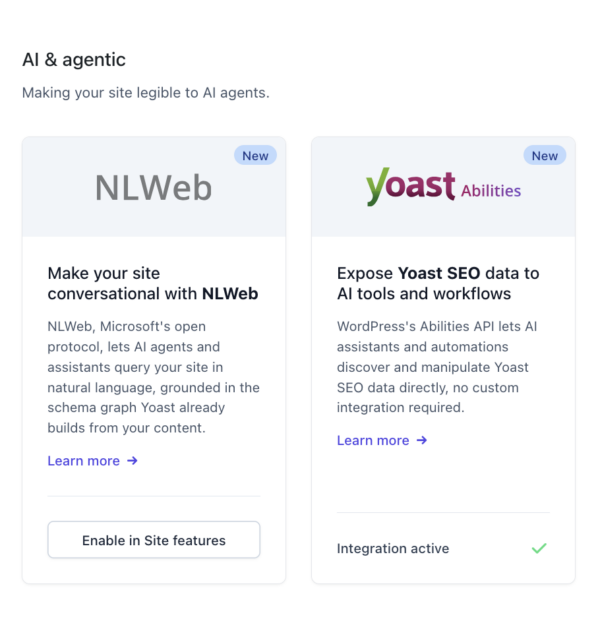
Once you’ve connected your LLM subscription, head to Yoast SEO, then Integrations. We’ve also reorganized this page: instead of one long list, integrations are now grouped by topic, so they’re easier to scan. Look for the new AI & agentic group. For further information, read the help article on how to set up Abilities.
The post Turn your AI tools from spectators into collaborators with Yoast appeared first on Yoast.